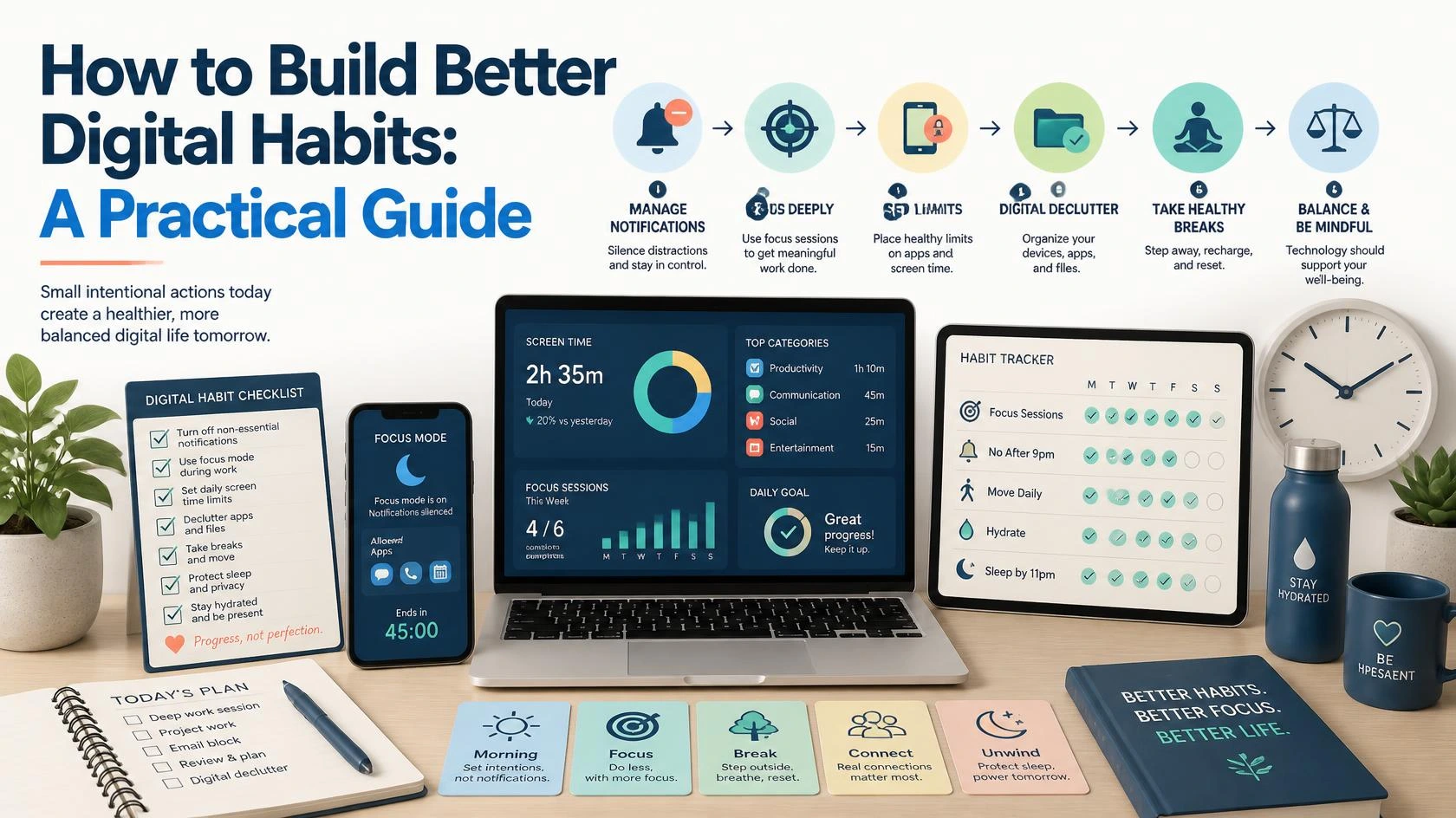
Learn how to build better digital habits, manage screen time, organize apps, reduce distractions, improve focus, and create a healthier relationship with technology.
echnology has become an important part of everyday life. We use smartphones to communicate, computers to work and study, apps to manage tasks, and the internet to find information, entertainment, and services.
Digital tools can save time and make life easier. However, without healthy boundaries, technology can also become a major source of distraction.
Have you ever opened your phone to check one message and then spent 30 minutes scrolling through social media? Have you switched between multiple apps while trying to work? Do you sometimes feel busy online but realize that you have not completed anything important?
These experiences are common.
The solution is not necessarily to stop using technology. Instead, it is important to develop better digital habits.
Digital habits are the routines and behaviors that determine how we use smartphones, computers, social media, websites, apps, and other digital tools. Good habits can help us stay productive, informed, connected, and organized. Poor habits can lead to distractions, wasted time, information overload, and difficulty focusing.
This guide explains how to build healthier digital habits and create a more intentional relationship with technology.
What Are Digital Habits?
Digital habits are the repeated actions you perform when using technology.
For example, you may have a habit of:
- Checking your phone immediately after waking up.
- Opening social media whenever you feel bored.
- Checking email multiple times every hour.
- Watching videos late at night.
- Keeping dozens of browser tabs open.
- Responding to every notification immediately.
- Using productivity apps to organize your work.
Some digital habits are useful, while others may reduce your productivity or affect your daily routine.
The important question is not:
“How much technology do I use?”
A better question is:
“Is my use of technology helping me achieve what I want to do?”
Technology should ideally support your goals rather than constantly interrupt them.
Why Healthy Digital Habits Matter
Digital tools are designed to make information and communication easily available. This is useful, but constant access can also create distractions.
Notifications, messages, videos, social media feeds, news updates, advertisements, and other digital content compete for your attention throughout the day.
Without a clear approach to technology, it becomes easy to react to whatever appears on your screen instead of deciding how you want to spend your time.
Healthy digital habits can help you:
- Improve concentration.
- Reduce unnecessary distractions.
- Manage your time more effectively.
- Stay organized.
- Create better work and study routines.
- Reduce information overload.
- Use social media more intentionally.
- Maintain better boundaries between online and offline activities.
The goal is not perfection. You do not need to delete every app or completely avoid social media.
Small and consistent changes are often more effective than extreme restrictions.
Start by Understanding Your Current Digital Habits
Before changing your habits, it is useful to understand how you currently use technology.
For one or two days, pay attention to your digital behavior.
Ask yourself:
- Which apps do I use most often?
- Why do I open these apps?
- How often do I check my phone?
- Which notifications interrupt me the most?
- Which digital activities are useful?
- Which activities consume time without providing much value?
- Do I use technology differently during work, study, and leisure time?
You do not need to judge yourself during this process. The purpose is simply to identify patterns.
For example, you may discover that you frequently open social media while waiting for something. You may also notice that certain notifications interrupt your work several times per hour.
Once you recognize these patterns, it becomes easier to change them.
Create Clear Intentions Before Going Online
One of the simplest ways to improve digital habits is to decide what you want to do before opening an app or website.
Instead of unlocking your phone without a purpose, ask yourself:
“What am I opening this device for?”
For example:
- Reply to an important message.
- Check a work email.
- Search for specific information.
- Complete an online task.
- Watch a particular video.
- Contact a friend or family member.
When you have completed the task, consider putting the device away or moving on to your next activity.
This small habit can reduce mindless browsing.
Try the “Purpose Before Screen” Rule
Before opening an app, briefly identify your purpose.
For example:
“I am opening YouTube to watch a tutorial about Excel.”
Once the tutorial is complete, avoid automatically continuing to unrelated videos unless you intentionally want entertainment.
This approach helps separate intentional technology use from automatic behavior.
Manage Notifications More Carefully
Notifications are one of the biggest sources of digital distraction.
Every notification asks for your attention.
Some notifications are important. A message from a family member, a work-related alert, or a security notification may require a quick response.
However, many notifications are not urgent.
Apps may send notifications about:
- New posts.
- Promotional offers.
- Recommended videos.
- Games.
- News updates.
- Shopping deals.
- Activity from other users.
If every application can interrupt you at any time, it becomes difficult to focus.
Review Your Notifications
Go through your phone and ask:
Does this app really need permission to interrupt me?
Consider keeping notifications enabled only for:
- Important calls and messages.
- Work or business tools.
- Security alerts.
- Calendar reminders.
- Essential applications.
You can disable or reduce notifications from apps that do not require immediate attention.
This does not mean you will miss everything. You can still check those apps when you choose.
The difference is that you are deciding when to give them your attention.
Organize Your Smartphone
A cluttered smartphone can encourage unnecessary app usage.
If your home screen contains dozens of colorful icons, it can become easy to open apps automatically.
Try organizing your device intentionally.
Keep Essential Apps Accessible
Place frequently used and useful apps where they are easy to find.
Examples may include:
- Phone.
- Messages.
- Email.
- Calendar.
- Maps.
- Banking apps.
- Task management tools.
Move Distracting Apps Away
Consider removing highly distracting apps from your main home screen.
You do not necessarily need to delete them.
Simply placing them inside a folder or on another screen can create a small pause before opening them.
That pause can help you decide whether you actually want to use the app.
Delete Apps You No Longer Use
Many people have apps installed that they rarely or never use.
Review your device occasionally and remove:
- Unused games.
- Old shopping apps.
- Duplicate applications.
- Apps you downloaded for a one-time purpose.
- Services you no longer use.
A simpler digital environment can be easier to manage.
Create a Healthier Social Media Routine
Social media can be useful for communication, entertainment, learning, and discovering new ideas.
However, endless scrolling can make it easy to lose track of time.
Instead of opening social media whenever you have a few free minutes, try creating a more intentional routine.
For example, you may decide to check certain platforms:
- During a lunch break.
- After completing important work.
- During a specific period in the evening.
This does not have to be a strict schedule. The purpose is to avoid automatically opening social media every time you feel bored.
Curate Your Feed
Your online environment can influence your experience.
Consider reviewing the accounts, pages, and channels you follow.
Ask yourself:
- Does this content provide value?
- Is it entertaining in a positive way?
- Is it relevant to my interests?
- Do I want to continue seeing this content?
You can unfollow, mute, or reduce content that consistently feels unhelpful or irrelevant.
Your digital environment should not be completely serious or focused only on productivity. Entertainment is valuable too.
The key is balance.
Use Technology to Support Your Goals
Technology can be distracting, but it can also be an excellent tool for productivity.
Instead of only focusing on what you should avoid, think about how digital tools can support your goals.
For example, you can use technology to:
- Manage your calendar.
- Create task lists.
- Set reminders.
- Learn new skills.
- Organize documents.
- Track projects.
- Communicate with others.
- Access educational resources.
The goal is to make technology more intentional.
Choose Fewer Tools
Using too many productivity apps can sometimes create another problem.
You may spend more time organizing tasks than actually completing them.
Try using a simple system.
For example:
| Purpose | Possible Tool Type |
|---|---|
| Daily tasks | To-do list |
| Important dates | Calendar |
| Notes and ideas | Note-taking app |
| Files | Cloud storage |
| Communication | Email or messaging platform |
You do not need five different apps for every task.
Choose tools that are easy to understand and genuinely useful.
Set Boundaries for Work and Personal Time
Remote work and constant connectivity have made it easier for work and personal life to overlap.
You may receive messages outside working hours or feel tempted to check email during personal time.
Creating boundaries can help.
Consider establishing:
- A specific time to check work messages.
- A regular time to finish work-related tasks.
- Separate spaces for work and relaxation when possible.
- Different browser profiles or accounts for work and personal use.
If you work from home, even a simple routine can make a difference.
For example:
- Start work at a consistent time.
- Review your priorities.
- Complete focused work.
- Take regular breaks.
- Finish your main tasks.
- Log out of work-related tools when appropriate.
This creates a clearer transition between different parts of your day.
Reduce Multitasking
Digital devices make multitasking easy.
You can have a document open, multiple browser tabs running, notifications appearing, and a video playing in the background.
However, switching constantly between tasks can make it harder to concentrate.
Try focusing on one important activity at a time.
Use the One-Task Approach
Choose one task.
For example:
Write an article for the next 45 minutes.
During that period:
- Close unnecessary browser tabs.
- Silence non-essential notifications.
- Avoid checking unrelated messages.
- Keep only the tools needed for the task open.
After completing the focused session, take a short break.
This approach can be particularly useful for:
- Studying.
- Writing.
- Research.
- Administrative work.
- Learning new skills.
- Completing complex projects.
Build Better Email Habits
Email is useful, but constantly checking your inbox can interrupt your day.
Unless your job requires immediate responses, consider checking email during planned periods.
For example:
- Once in the morning.
- Once after completing important work.
- Once later in the day.
You can also organize emails into categories or folders.
Try identifying:
- Messages requiring action.
- Important information.
- Newsletters.
- Promotions.
- Messages that can be archived or deleted.
A cleaner inbox can make important messages easier to find.
Create Digital-Free Moments
You do not need to avoid technology completely to benefit from time away from screens.
Try creating small digital-free periods during the day.
For example:
- During meals.
- During conversations with family or friends.
- During exercise.
- For the first few minutes after waking up.
- Before going to sleep.
These moments can help create a healthier balance between online and offline activities.
Start small.
You might begin with 20 or 30 minutes.
The goal is to create intentional breaks rather than follow unrealistic rules.
Improve Your Digital Environment
Your environment influences your habits.
This is true online as well.
Consider simplifying your digital workspace.
Organize Your Computer
You can:
- Create clear folders for important files.
- Delete unnecessary downloads.
- Rename documents clearly.
- Bookmark frequently used resources.
- Close unused applications.
Reduce Browser Clutter
Having dozens of open tabs can make it difficult to focus.
Try using:
- Bookmarks for pages you want to revisit.
- Reading lists for articles you plan to read later.
- Separate windows for different projects.
- Regular tab cleanup.
A cleaner workspace can make it easier to find what you need.
Be More Intentional About Information Consumption
The internet provides unlimited access to information.
The challenge is deciding what deserves your attention.
Instead of consuming information continuously, try choosing your sources and topics more carefully.
For example, you might decide to:
- Read a few trusted sources instead of constantly refreshing multiple websites.
- Follow educational channels related to your interests.
- Save long articles to read later.
- Avoid repeatedly checking the same news story.
Information is useful when it helps you understand, learn, or make decisions.
More information is not always better.
Use Screen Time Tools as Awareness Tools
Many smartphones and operating systems provide tools that show how much time you spend using different apps.
These reports can be useful for identifying patterns.
For example, you may discover that you spend more time on a particular app than expected.
The goal is not to become obsessed with the numbers.
Instead, use the information to ask:
Is this how I want to spend my time?
If the answer is yes, there may be no problem.
If the answer is no, you can experiment with changing the habit.
Replace Unhelpful Digital Habits
Removing a habit can be difficult if you do not replace it with something else.
For example, if you usually check social media whenever you feel bored, try replacing that action with another option.
You could:
- Read an article you saved earlier.
- Take a short walk.
- Write down an idea.
- Stretch.
- Listen to music.
- Work on a small task.
- Read a book.
The goal is not to eliminate entertainment. It is to have more choices.
When your only response to boredom is opening an app, the behavior can become automatic.
Creating alternatives gives you more control.
Avoid Trying to Change Everything at Once
One common mistake is attempting a complete digital transformation overnight.
You may decide to:
- Delete every social media app.
- Stop using your phone after a certain hour.
- Check email only once per day.
- Limit every app.
- Organize every file.
- Start using multiple productivity systems.
This can become overwhelming.
Instead, choose one or two changes.
For example:
Week One
Turn off unnecessary notifications.
Week Two
Move distracting apps away from your home screen.
Week Three
Create one daily period for focused work.
Week Four
Review your social media and information habits.
Small improvements are easier to maintain.
Create Your Personal Digital Habits Plan
A simple plan can help you turn good intentions into regular behavior.
Here is an example:
Morning
- Avoid checking unnecessary apps immediately after waking up.
- Review your calendar and priorities.
- Check important messages only when necessary.
During Work or Study
- Silence non-essential notifications.
- Focus on one important task.
- Take regular breaks.
- Avoid opening unrelated apps.
Evening
- Check messages intentionally.
- Avoid endless scrolling when possible.
- Prepare your important tasks for the next day.
- Create some time away from screens.
You can adjust this routine according to your lifestyle.
There is no perfect digital schedule for everyone.
The best system is one that supports your responsibilities, goals, relationships, and personal interests.
Common Mistakes to Avoid
Trying to Eliminate All Technology
Technology is part of modern life. The goal is healthier use, not necessarily complete avoidance.
Using Too Many Productivity Apps
A complicated system can create more work.
Keep your tools simple.
Expecting Immediate Results
Habits take time to change.
Focus on consistency rather than perfection.
Following Someone Else’s Routine Exactly
A routine that works for one person may not work for another.
Adapt ideas to your own schedule and responsibilities.
Ignoring the Positive Side of Technology
Technology can help you learn, communicate, work, and stay organized.
The goal is to use it intentionally.
Frequently Asked Questions About Digital Habits
What are healthy digital habits?
Healthy digital habits are routines that help you use technology intentionally and in a way that supports your goals, responsibilities, and wellbeing. Examples include managing notifications, organizing apps, taking regular breaks, and avoiding unnecessary distractions.
How can I reduce screen time?
Start by identifying which apps consume most of your time. You can then reduce unnecessary notifications, remove distracting apps from your home screen, create digital-free periods, and replace mindless scrolling with other activities.
Should I delete social media?
Not necessarily. If social media is useful or enjoyable for you, consider using it more intentionally instead of deleting it completely. You can adjust notifications, curate your feed, and choose specific times to use it.
How do I stop checking my phone constantly?
Make checking your phone less automatic. Disable unnecessary notifications, keep your device away during focused activities, and create alternative activities for moments when you would normally reach for your phone.
Can technology help improve productivity?
Yes. Calendars, task managers, note-taking tools, communication platforms, and educational resources can all support productivity when used intentionally. The key is choosing useful tools and avoiding unnecessary complexity.
Final Thoughts By Pranjal
Building better digital habits does not require giving up technology.
Instead, it means becoming more intentional about how you use it.
Start by observing your current behavior. Identify the habits that help you and the ones that regularly distract you. Then make small changes.
You might begin by turning off unnecessary notifications, organizing your apps, creating focused work periods, or taking regular breaks from screens.
Over time, these small changes can help you develop a healthier relationship with technology.
The purpose of digital tools should be to support your life, not constantly control your attention.
By building better digital habits, you can create more time for meaningful work, learning, relationships, rest, and the activities that matter most to you.