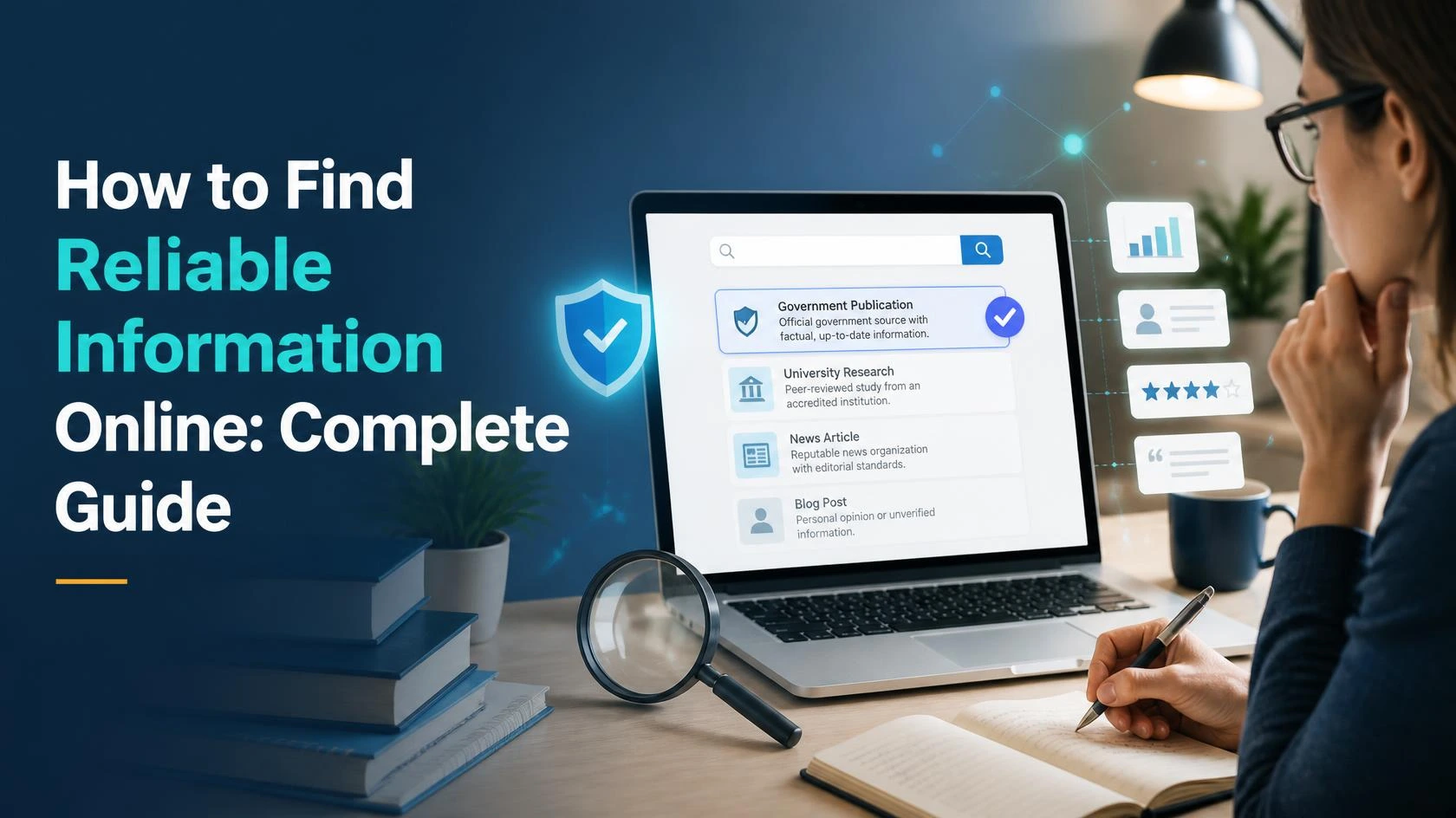
Learn how to find reliable information online, verify websites and sources, identify misleading content, fact-check claims, and stay safer while researching on the internet.
How to Find Reliable Information Online: A Practical Guide to Research, Verification and Online Safety
The internet has made information easier to access than ever before.
With a few words typed into a search engine, you can find articles, videos, statistics, opinions, tutorials, news reports, research papers, social media posts, and thousands of other sources.
This access to information is extremely useful. However, it also creates a challenge:
How do you know whether the information you find online is reliable?
Not everything published on the internet is accurate. Some information may be outdated, incomplete, misleading, exaggerated, or completely false. Even legitimate websites can occasionally publish errors.
Learning how to evaluate information is therefore an important digital skill.
Whether you are researching something for work, studying for an exam, comparing products, learning about a new topic, or simply trying to understand something you saw online, knowing how to evaluate sources can help you make better decisions.
This guide explains practical ways to find reliable information online, evaluate websites, verify claims, identify warning signs, and protect yourself from misleading information.
Why Is Reliable Information Important?
The information you consume can influence your decisions.
For example, online information may affect:
- What you buy.
- What you study.
- Where you travel.
- Which services you use.
- How you understand current events.
- What advice you follow.
- Which financial decisions you consider.
- How you solve everyday problems.
If the information is inaccurate, your resulting decision may also be poor.
This does not mean that everything online should be viewed with suspicion.
Instead, it means you should develop the habit of asking:
“How do I know this information is accurate?”
That simple question is the foundation of good online research.
What Makes an Online Source Reliable?
There is no single characteristic that makes a website completely reliable.
Instead, consider several factors together.
A trustworthy source will often provide:
- Clear information about who created the content.
- Evidence or supporting sources.
- Relevant dates.
- Accurate and specific information.
- A transparent purpose.
- Contact or organizational information where appropriate.
- Corrections or updates when necessary.
- Links to original or authoritative sources.
The importance of each factor depends on the subject.
For example, when researching government procedures, an official government website is generally more appropriate than an anonymous blog.
When researching scientific topics, reputable research institutions and academic sources may be more useful.
When comparing personal experiences, reviews and community discussions may provide useful perspectives, but they should not automatically be treated as verified facts.
Start With the Original Source
One of the best ways to improve online research is to locate the original source of a claim.
You may see a statement such as:
“A new study proves that a particular method works.”
Instead of accepting the statement immediately, look for the study itself.
Ask:
- Who conducted the research?
- When was it published?
- Where was it published?
- What exactly did the researchers find?
- Does the original study actually support the claim?
This is especially important when information has been repeated across many websites.
A claim appearing on 20 websites does not necessarily mean it has been independently verified 20 times.
Those websites may all be repeating the same original source.
Check Who Published the Information
Before trusting an article, find out who is behind it.
Look for:
- Author name.
- Organization name.
- About page.
- Contact information.
- Editorial information.
- Publication date.
Anonymous content is not automatically false, but the absence of authorship can make it more difficult to evaluate credibility.
For important topics, knowing the author’s background can help you understand whether they have relevant knowledge or experience.
Check the Date
Information can become outdated.
This is particularly important for:
- Technology.
- Laws and regulations.
- Prices.
- Software.
- Government procedures.
- Jobs and recruitment.
- Travel requirements.
- Product specifications.
- Statistics.
An article published several years ago may have been accurate when written but no longer reflect the current situation.
Look for:
Published date
and, where available:
Last updated date
For information that changes frequently, prioritize recent and regularly updated sources.
Compare Multiple Sources
One of the easiest ways to verify information is to compare independent sources.
Suppose you find an important claim on one website.
Do not immediately assume it is correct.
Search for the same information elsewhere.
Compare:
- Facts.
- Dates.
- Numbers.
- Names.
- Sources.
- Explanations.
If several credible and independent sources agree, confidence in the information may increase.
If sources disagree, investigate why.
Sometimes the disagreement exists because the sources are discussing different dates, definitions, or circumstances.
Distinguish Facts From Opinions
Not everything written online is intended to be a factual statement.
An article may contain:
- Facts.
- Opinions.
- Predictions.
- Personal experiences.
- Recommendations.
- Interpretations.
These are different things.
For example:
Fact: A particular product was released on a specific date.
Opinion: The product is the best option available.
The first statement may be verified through official records.
The second is subjective and depends on the person’s criteria.
Learning to distinguish facts from opinions is an important part of internet literacy.
Be Careful With Headlines
Headlines are designed to attract attention.
Sometimes they accurately summarize the article.
Other times they may be exaggerated.
This is especially common with sensational content.
A headline may suggest something dramatic, while the actual article provides a much more limited explanation.
Do not rely only on headlines.
Read the relevant section of the article and, when possible, check the original source.
Watch for Emotional Language
Strong emotional language can be a warning sign.
Be cautious when a website repeatedly uses phrases designed to create:
- Fear.
- Anger.
- Panic.
- Excitement.
- Outrage.
- Urgency.
This does not automatically mean the information is false.
However, emotional language can encourage people to react before thinking critically.
Ask:
“Is this content trying to inform me, or mainly trying to make me react?”
Check the Evidence
A strong claim should ideally have supporting evidence.
Look for:
- Official documents.
- Research papers.
- Government data.
- Direct statements.
- Primary sources.
- Reputable organizations.
- Transparent methodology.
Be cautious when an article makes major claims but provides no evidence.
For example:
Weak: “Experts say this is the best method.”
Stronger: The article identifies the experts, explains their relevant qualifications, and provides a source for the claim.
Specific evidence makes information easier to evaluate.
Understand the Difference Between Primary and Secondary Sources
Primary Sources
Primary sources provide information directly from the original source.
Examples include:
- Government documents.
- Official statistics.
- Original research.
- Court documents.
- Company announcements.
- Official reports.
- Direct interviews.
Secondary Sources
Secondary sources interpret, summarize, or analyze information from primary sources.
Examples include:
- News articles.
- Blog posts.
- Reviews.
- Analysis articles.
- Educational summaries.
Both can be useful.
However, for important claims, going back to the primary source can provide greater context.
Be Careful With Statistics
Numbers can make an article appear authoritative.
However, statistics can be misleading when presented without context.
When you see a statistic, ask:
- Where did the number come from?
- What year does it represent?
- How large was the sample?
- What population was studied?
- How was the data collected?
- Is the number being compared fairly?
For example, saying:
“The number increased by 100%”
sounds dramatic.
But if the original number was 1 and it increased to 2, the context is very different from an increase from 10,000 to 20,000.
Always consider the original numbers and context.
Check the Website’s Purpose
Ask why the website exists.
Different websites have different goals.
A website may exist to:
- Provide government information.
- Educate readers.
- Sell products.
- Generate advertising revenue.
- Promote an organization.
- Share personal opinions.
- Build an audience.
- Collect leads.
Having a commercial purpose does not automatically make a website unreliable.
However, understanding the purpose can help you evaluate potential bias.
For example, if a website is selling a product, its product recommendations may deserve additional scrutiny.
Be Careful With Sponsored Content
Some websites publish sponsored articles or promotional content that resembles regular editorial material.
Look for labels such as:
- Sponsored.
- Advertisement.
- Paid partnership.
- Affiliate link.
- Promotional content.
Sponsored content can still contain useful information, but you should understand the commercial relationship.
Learn to Recognize Suspicious Websites
Some warning signs deserve attention.
Be cautious when a website:
- Makes extraordinary claims without evidence.
- Provides no information about its authors.
- Uses excessive sensational language.
- Contains numerous obvious errors.
- Copies content from other websites.
- Has misleading headlines.
- Pressures you to act immediately.
- Requests unnecessary personal information.
- Makes promises that seem unrealistic.
One warning sign does not automatically prove that a website is unreliable.
Consider the overall picture.
Verify Information Before Sharing It
Social media makes sharing extremely easy.
Before forwarding a claim, ask:
- Where did this information come from?
- Is there an original source?
- Is the information current?
- Do other credible sources confirm it?
- Could the headline be misleading?
- Am I sharing this because it is accurate or because it is shocking?
Taking a few moments to verify information can help prevent the spread of inaccurate content.
Use Reverse Image Search When Appropriate
Images can be taken out of context.
An old photograph may be presented as a recent event.
A photograph from one country may be incorrectly described as an event in another country.
When an image is important to a claim, consider using a reputable reverse-image search service to investigate where the image has appeared previously.
You may discover:
- The original publication date.
- The original location.
- Earlier versions of the image.
- Different descriptions of the same photograph.
This can help identify misleading visual content.
Be Careful With AI-Generated Information
AI tools can be extremely useful for research, writing, brainstorming, and learning.
However, AI-generated information should not automatically be treated as verified fact.
AI systems can sometimes:
- Make factual errors.
- Provide outdated information.
- Misinterpret questions.
- Present uncertain information confidently.
When using AI for important research, verify significant claims through reliable sources.
AI can help you find directions for further research, but important facts should be checked independently.
Use Search Engines Strategically
Search engines are powerful research tools, but the first result is not necessarily the most reliable.
When researching a topic, try different searches.
For example, instead of searching only:
“How does this work?”
you might search:
- The official organization + topic.
- Topic + research.
- Topic + official report.
- Topic + statistics.
- Topic + publication date.
Adding terms such as official, report, research, or government can sometimes help you locate more authoritative sources.
Use Official Websites for Official Information
When you need information about a government service, regulation, application process, public program, or official announcement, try to find the relevant official website.
For example, if you are looking for:
- Government forms.
- Official application procedures.
- Regulations.
- Public notices.
- Official statistics.
the primary government source should generally be your starting point.
Third-party websites may summarize the information, but the official source can provide the authoritative version.
Do Not Rely on One Source for Important Decisions
For low-risk questions, one reliable source may be enough.
For important decisions, consider using multiple sources.
This is especially useful when researching:
- Financial decisions.
- Legal matters.
- Major purchases.
- Education.
- Employment.
- Travel requirements.
- Safety-related information.
The more important the decision, the more carefully you should verify the information.
Protect Yourself While Researching Online
Finding reliable information is only one part of online safety.
You should also protect your personal information.
Avoid entering sensitive information into websites unless you understand why it is needed.
Be cautious about:
- Passwords.
- Banking information.
- Identification documents.
- Personal addresses.
- One-time passwords.
- Security questions.
Always verify that you are using the legitimate website before entering sensitive information.
Check Website Security
When visiting a website that asks for personal information, check whether the connection is protected and whether the domain appears correct.
However, remember that a secure connection alone does not prove that a website is trustworthy.
A fraudulent website can also use modern security technology.
Consider the entire website, including:
- Domain name.
- Organization information.
- Contact details.
- Privacy policy.
- Website content.
- Reputation.
- Reason for requesting your information.
Watch for Fake Urgency
Online scams often try to create urgency.
You may see messages such as:
- “Act immediately.”
- “Your account will be closed today.”
- “You have won a prize.”
- “Confirm your information now.”
- “Limited time only.”
Urgency can make people act without verifying the situation.
Instead, slow down.
If a message claims to come from a company or organization, visit the official website directly rather than clicking an unexpected link.
Check Links Before Clicking
Be cautious with links received through:
- Email.
- Messaging apps.
- Social media.
- Unexpected text messages.
Look at the destination carefully.
A website address that resembles a legitimate domain may contain small differences.
If something feels suspicious, open the official website manually instead of following the link.
Create a Personal Verification Habit
You do not need to become an expert fact-checker to improve your online research.
Develop a simple routine:
Stop
Do not immediately believe or share the information.
Check
Look for the author, date, source, and evidence.
Compare
Find other credible sources.
Verify
Whenever possible, locate the original source.
Decide
Only then decide whether the information is useful or trustworthy enough for your purpose.
This simple process can become a regular digital habit.
A Practical Source Evaluation Checklist
When researching something online, use this checklist:
| Question | What to Look For |
|---|---|
| Who created it? | Author or organization |
| When was it published? | Publication or update date |
| What evidence is provided? | Sources, data, documents |
| What is the purpose? | Education, news, sales, opinion |
| Can the claim be verified? | Independent sources |
| Is the information current? | Recent data and updates |
| Is the language balanced? | Avoid excessive sensationalism |
| Is there an original source? | Primary document or research |
| Are there obvious errors? | Spelling, facts, broken references |
| Does another credible source agree? | Independent confirmation |
Example: How to Verify an Online Claim
Imagine you see an online post saying:
“A new rule will change the requirements for a particular government service next month.”
Instead of immediately sharing it, follow these steps.
Step 1: Find the Original Claim
Identify where the statement originated.
Step 2: Search for the Official Source
Look for the relevant government department or official organization.
Step 3: Check the Date
Make sure the information is current.
Step 4: Read the Full Announcement
Do not rely only on a social media summary.
Step 5: Compare Independent Reporting
Check reputable sources to see how they interpreted the announcement.
Step 6: Share Carefully
If the information is confirmed, share the original or authoritative source whenever possible.
This process takes a few extra minutes but can prevent the spread of incorrect information.
Common Online Research Mistakes
Trusting the First Search Result
Search ranking does not automatically equal credibility.
Believing a Claim Because Many Websites Repeat It
Repeated information may come from the same original source.
Reading Only Headlines
Headlines may not provide enough context.
Ignoring Dates
Old information can be misleading when circumstances have changed.
Confusing Opinions With Facts
A person’s experience or interpretation is not necessarily an established fact.
Sharing Before Verifying
Speed is not more important than accuracy.
Assuming Professional-Looking Websites Are Reliable
A polished design does not guarantee trustworthy information.
Frequently Asked Questions
How can I find reliable information online?
Start with reputable and authoritative sources, check who published the information, look at the publication date, examine supporting evidence, compare independent sources, and locate the original source whenever possible.
How do I know if a website is trustworthy?
Look for transparent authorship, credible sources, relevant dates, contact or organizational information, evidence supporting claims, and a clear purpose. Also compare important information with other reputable sources.
Is information from social media reliable?
Social media can contain useful information, but individual posts should not automatically be considered verified facts. For important claims, look for the original source and confirm the information independently.
How do I verify information from an article?
Check the author, date, evidence, references, original sources, and other independent sources. For important claims, go directly to the primary source whenever possible.
Can AI provide reliable information?
AI can be useful for explaining topics and helping with research, but its answers can contain errors or outdated information. Important facts should be independently verified through reliable sources.
Why is checking the date important?
Information can change. Laws, prices, technology, statistics, procedures, and recommendations may become outdated, so checking the publication or update date helps determine whether information is still relevant.
Final Thoughts
The internet is an incredibly useful source of knowledge, but not every piece of information deserves the same level of trust.
Learning how to find reliable information online is therefore an important skill.
Start by checking who created the information, when it was published, what evidence supports it, and why it was created. Compare important claims with independent sources and look for the original source whenever possible.
Do not allow emotional headlines, social media posts, or pressure to share information to replace careful verification.
At the same time, online safety should remain part of your research habits. Protect personal information, be careful with unexpected links, verify websites before entering sensitive data, and slow down when something creates unnecessary urgency.
You do not need to question every sentence you read.
Instead, develop a habit of being curious, careful, and willing to verify important information.
That approach can help you make better decisions, avoid misleading content, and use the internet more confidently.
Suggested Internal Links
You can connect this article with the other YU Team articles:
- How to Build Better Digital Habits: A Practical Guide to Managing Your Time, Apps and Online Life
- How to Stay Productive While Working or Studying From Home: A Complete Guide
- How to Organize Your Daily Routine for Better Productivity and Less Stress
- A Complete Guide to Choosing the Right Apps and Online Tools for Everyday Life